Home/PartnerLens

PartnerLens Beta

Partner business visibility,
without leaving HubSpot.

PartnerLens is a new tool that supports collaboration with distribution partners from outside your HubSpot.
Join the beta waitlist for early access.

Challenges

Running into these walls with your partner business?

01
You can't see partner deals until they close
Monthly Excel reports are already out of date by the time they land. There's no way to see which stage a deal is really in — in real time.
02
Channel conflict with direct sales — and you find out after the fact
A partner and your direct team approach the same prospect at the same time. Usually you only notice once it turns into a complaint.
03
Bring partners into your CRM, and permissions, licensing, and data ownership all break
Invite an outside company's users and you risk exposing information you never meant to share. Keep them out, and you're back to double-entry.
Concept 01

The Lens and the Checkpoint

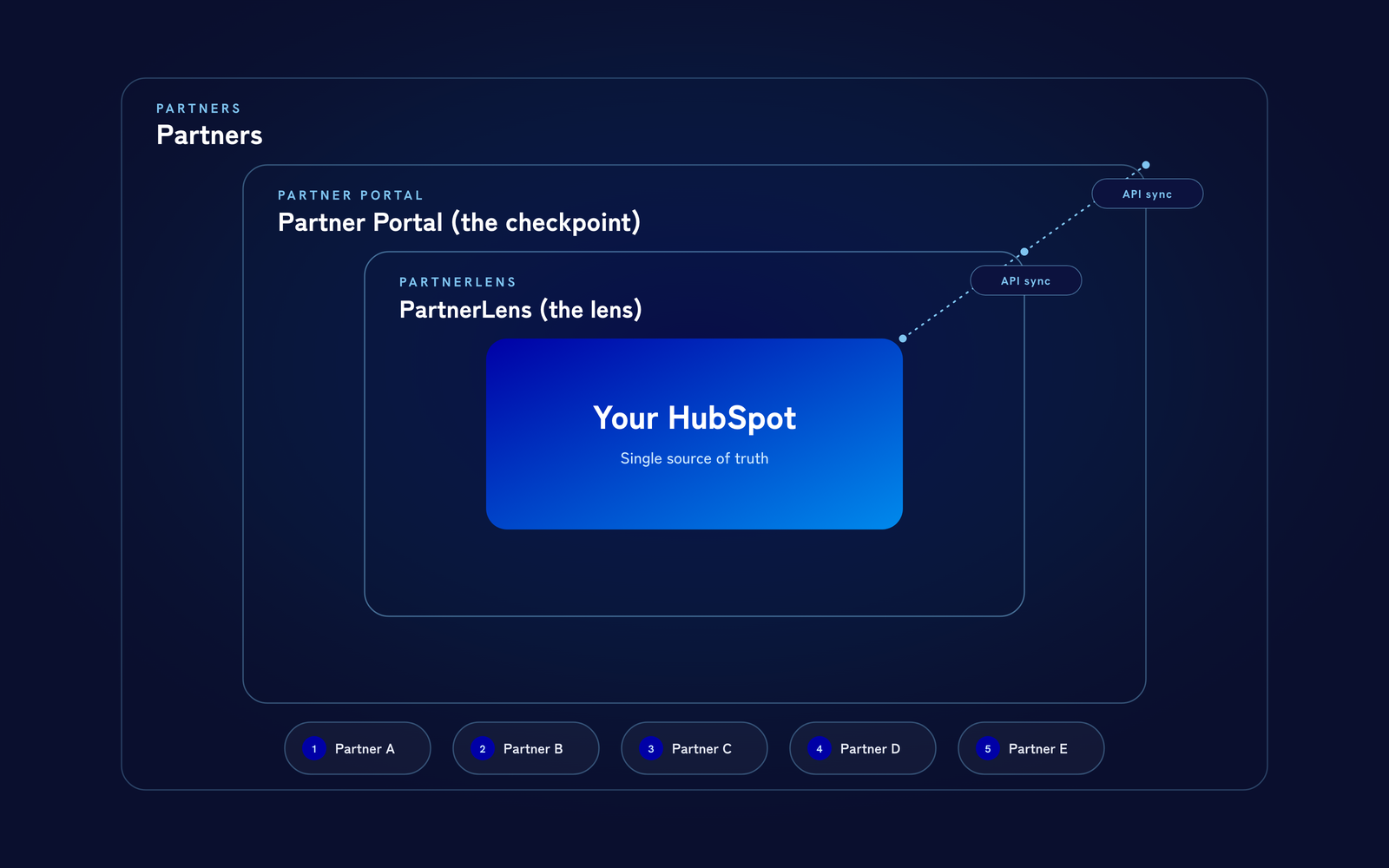
The three-layer architecture — your HubSpot at the center, with the lens and the checkpoint layered around it

The three-layer architecture — your HubSpot at the center, with the lens and the checkpoint layered around it

Your data stays in your HubSpot. PartnerLens simply adds two windows around it.

For the vendor, a lens — a single view across the entire partner business. For the partner, a checkpoint — a place to register deals.

PartnerLens isn't here to replace HubSpot. HubSpot is built around a single sales organization, while partner business happens in the space between two companies. We keep your HubSpot investment exactly as it is, and extend only the boundary that partner business needs.

Concept 02

The four phases of
partner business

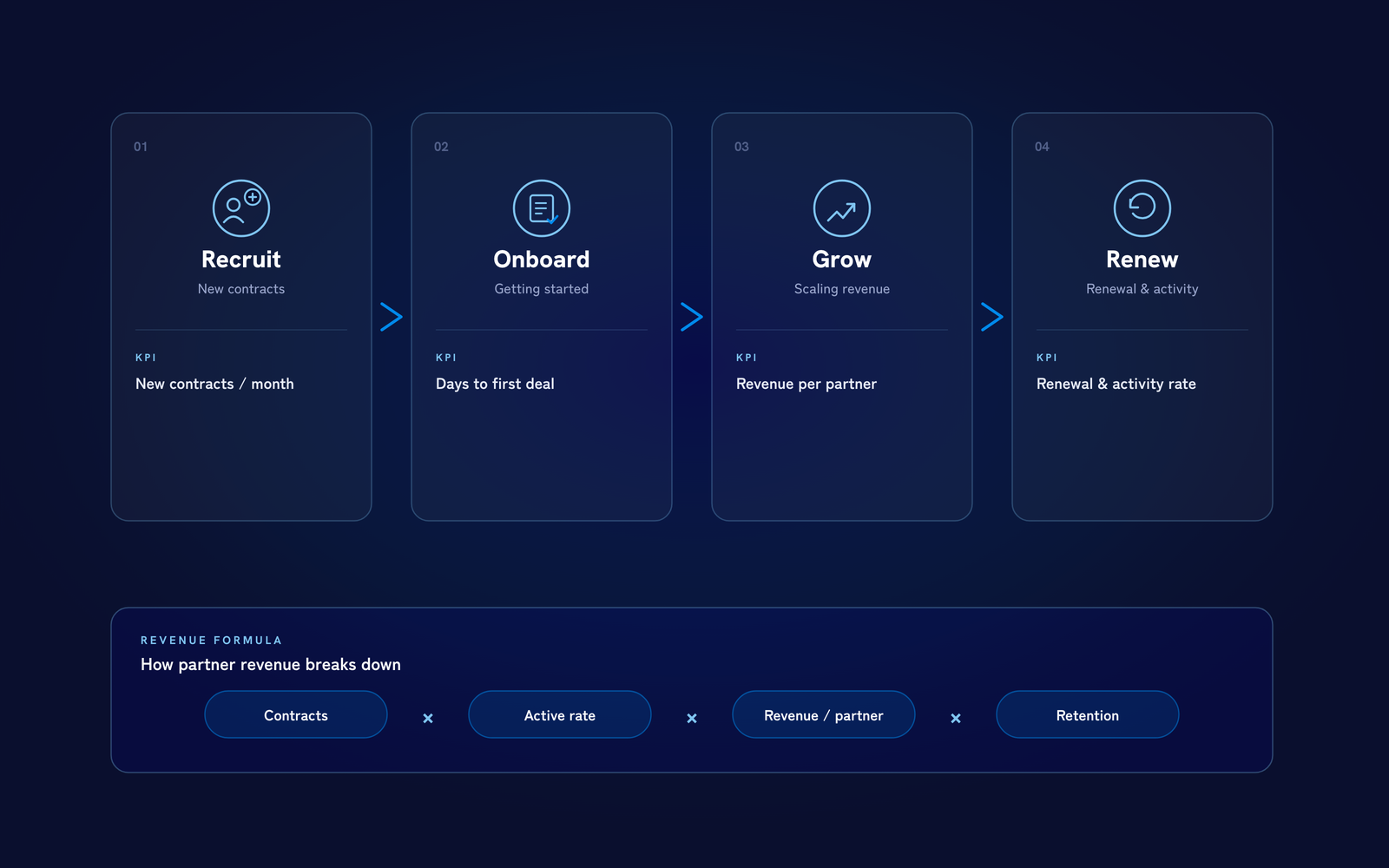
Recruit, Onboard, Grow, Renew — and the KPI behind each phase

Recruit, Onboard, Grow, Renew — and the KPI behind each phase

Partner-sourced revenue comes down to four phases, multiplied together.

RecruitOnboardGrowRenew.

Break it down and revenue equals: number of active partners × activation rate × revenue per partner × retention. Every screen in PartnerLens is designed around these four phases.

Concept 03

A data model
that stays clean

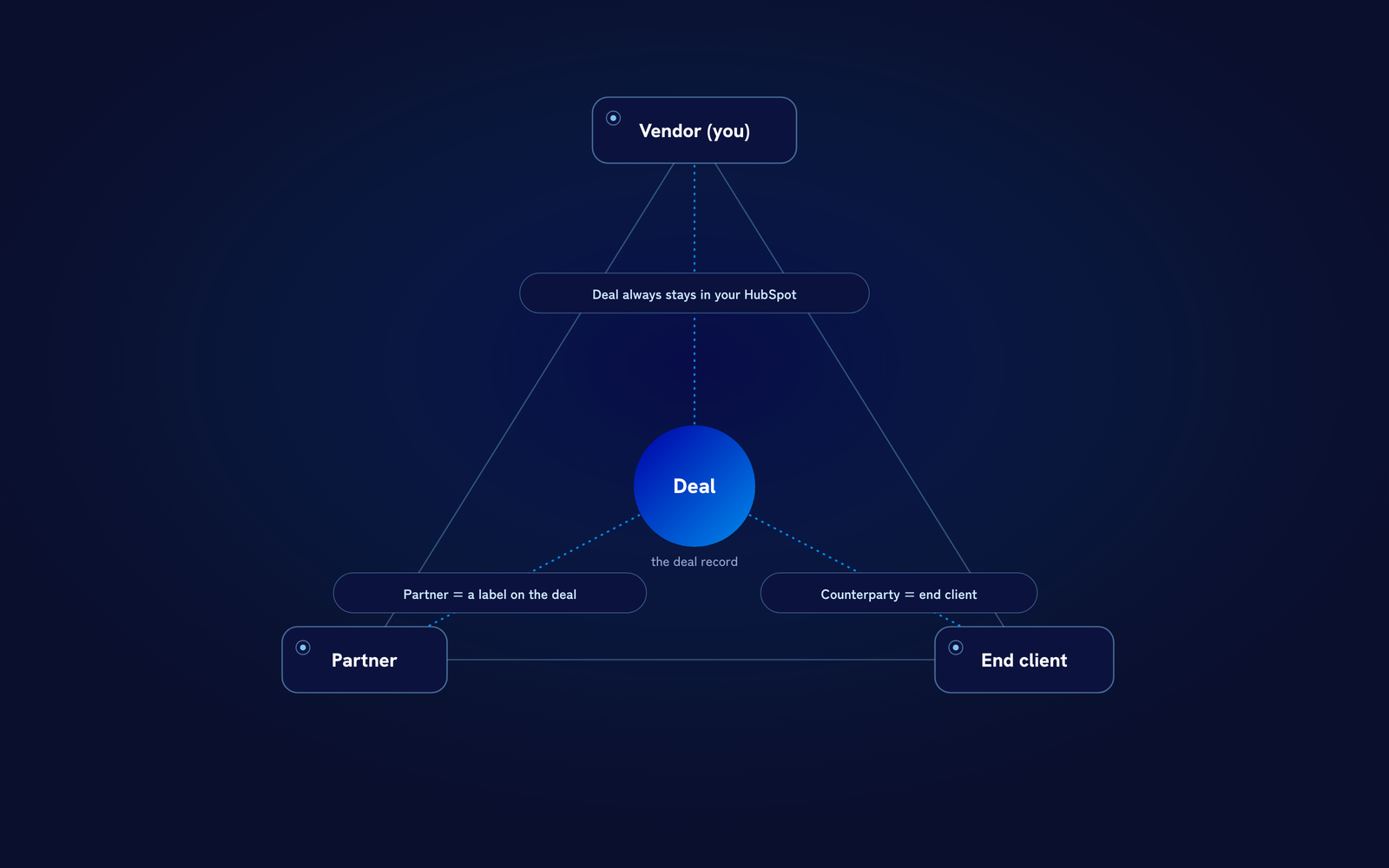
Deal's primary company = end client / assigned partner = a label on the deal

Deal's primary company = end client / assigned partner = a label on the deal

A deal's primary company is always the end client — never the partner. The partner is attached to that deal as a label.

Keep that shape, and your reports don't break when a partner changes, and handoffs don't require rebuilding the data.

What accumulates in HubSpot stays a clean, normalized asset — independent of which partner is involved today.

HubSpot Experience

Approve, chat, and distribute —
inside the deal record

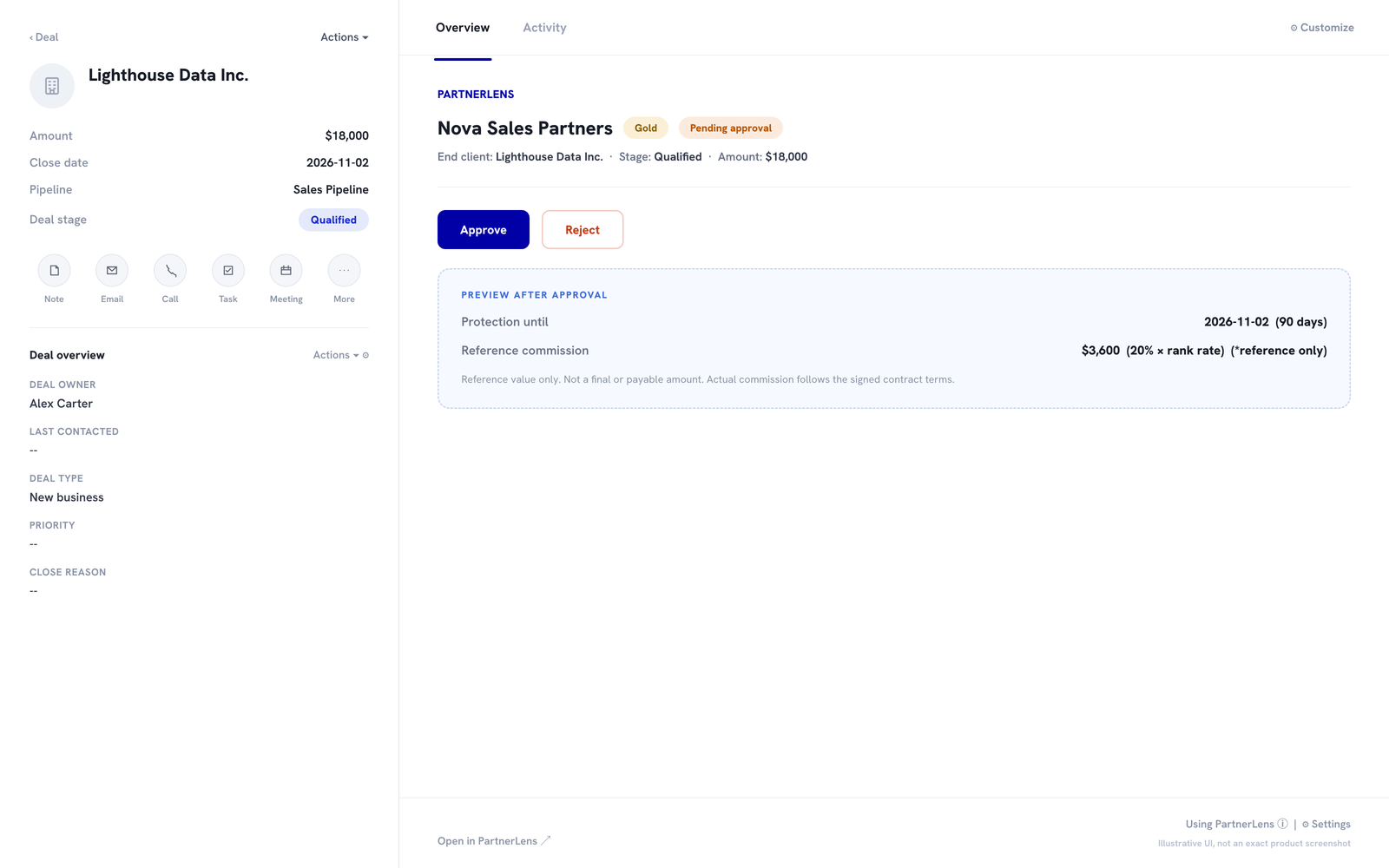
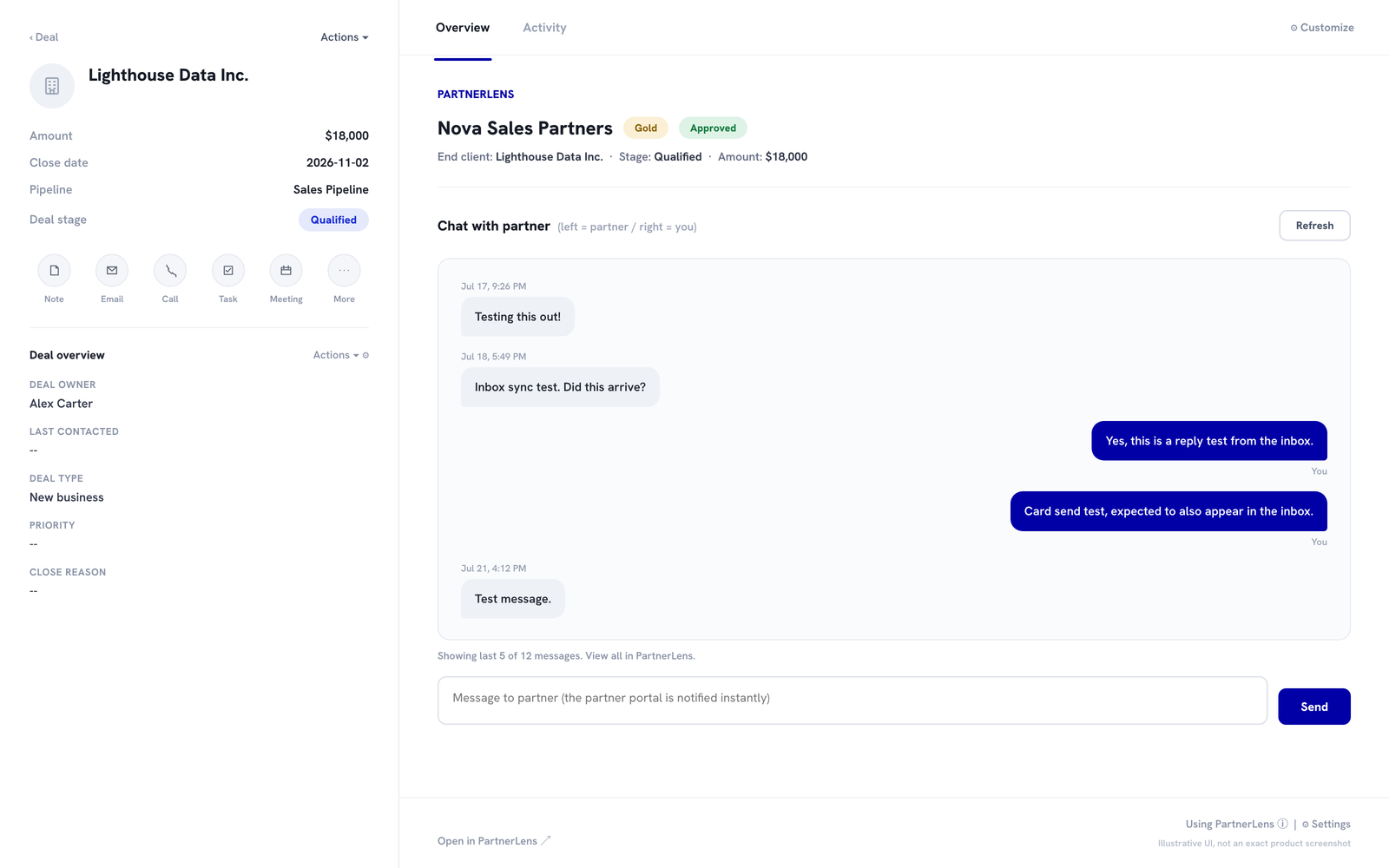
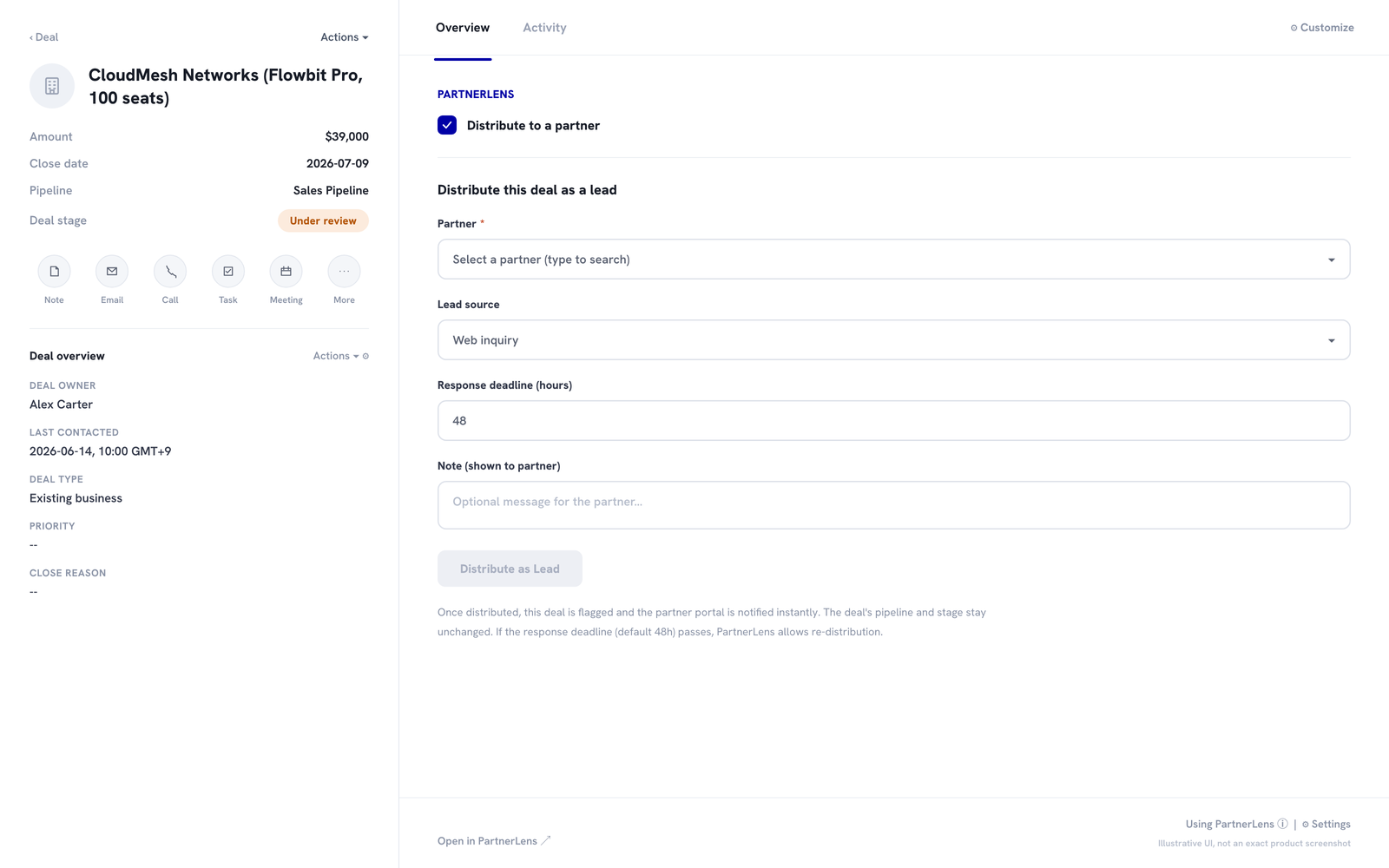
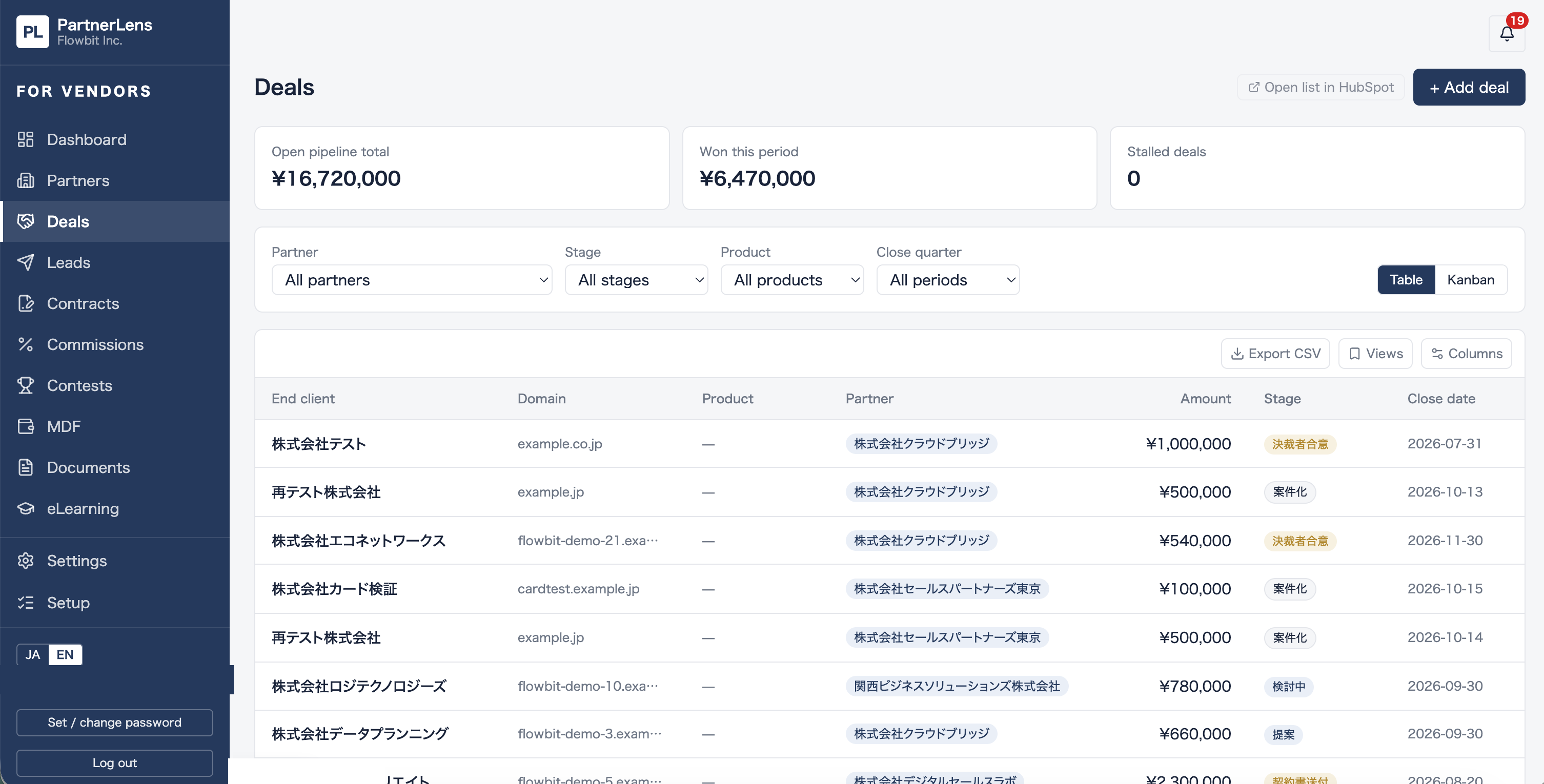
Approve or reject, apply protection windows automatically, check reference commission, chat with the partner, and distribute leads — all inside the deal record your sales team already works in.

Approve or reject, with the protection window applied automatically
Chat with the partner
Distribute a lead
Distribute a lead

Screens are illustrative mockups.

PRODUCT TOUR

Product Tour

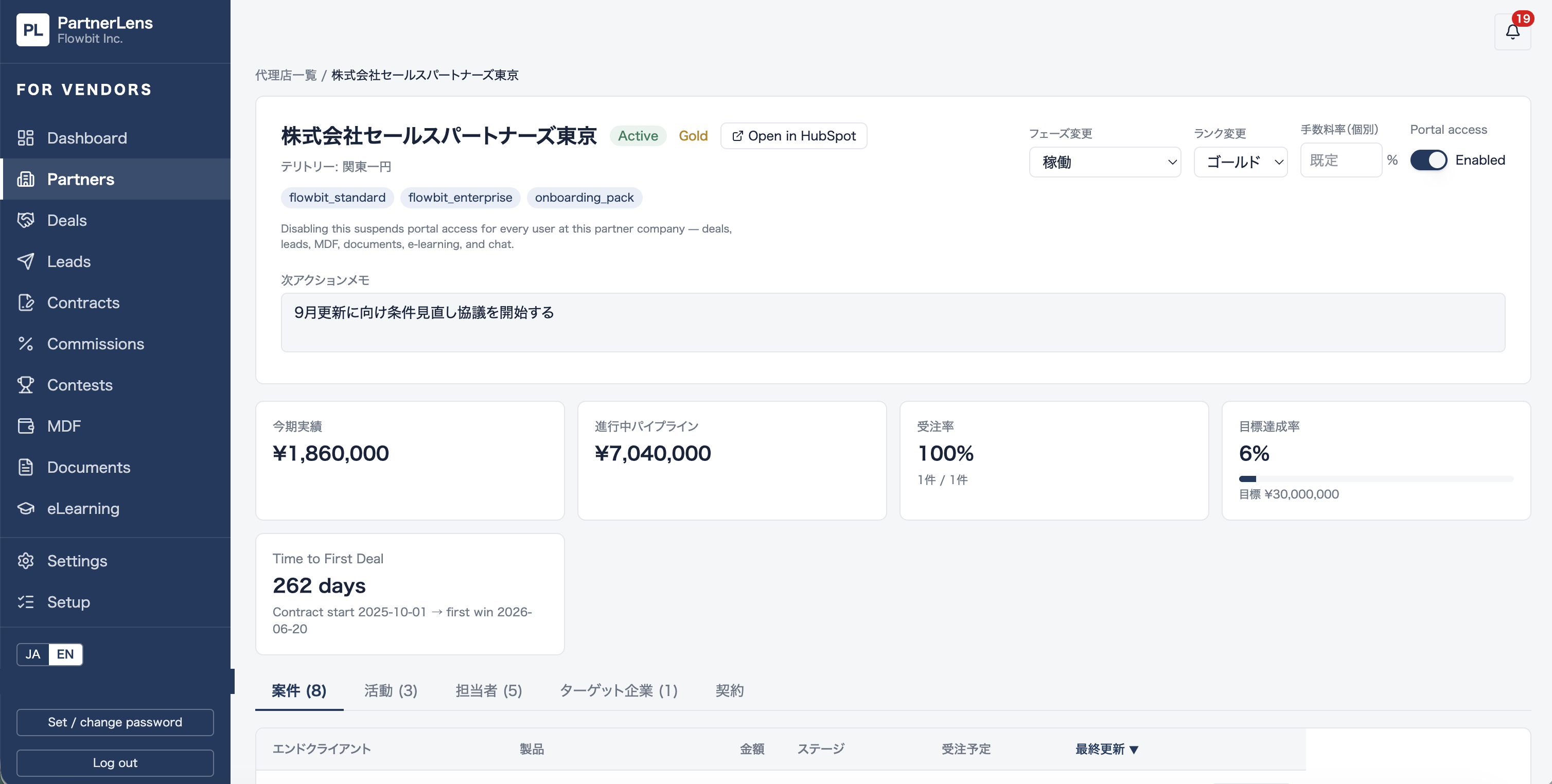
Partner Directory & 360° View
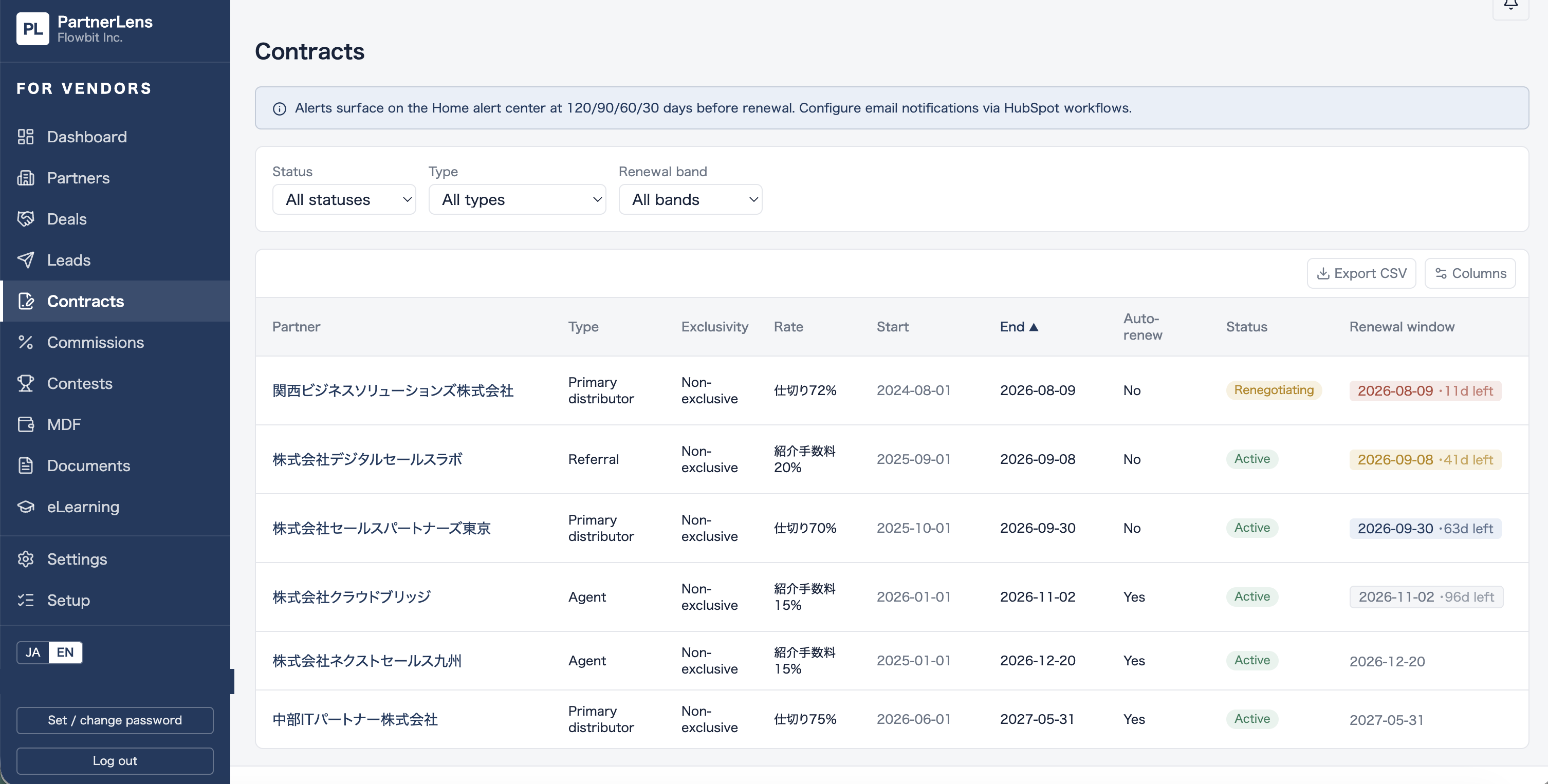
Contract Management & Renewal Alerts
Cross-Partner Pipeline View

Screens are from the beta version under development and may differ from the final product.

Concept 04

Deal registration as
formalized agreement
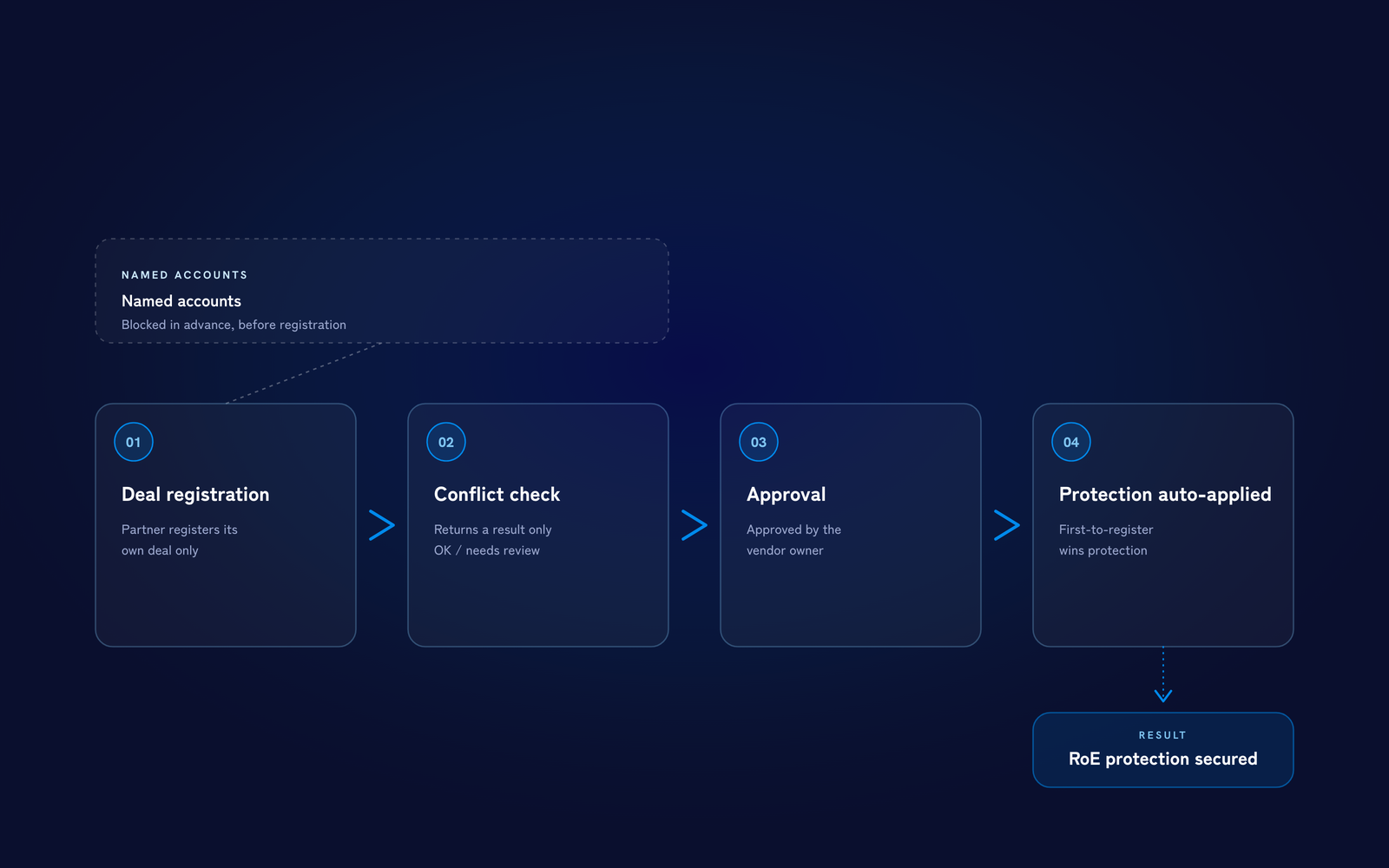
Partner registers a deal → conflict check (result only) → approval → protection window applied automatically

Partner registers a deal → conflict check (result only) → approval → protection window applied automatically

Partners register only the deals they've sourced themselves.

PartnerLens returns only the result of the conflict check — registered, or needs review — never the name of the competing party.

Once approved, a protection window is applied automatically, on a first-to-register basis. Named accounts already handled by direct sales are blocked in advance, so partners can't register them.

What's in Beta

What's included in the beta

No exaggeration — everything listed here is already built and working.

Partner Directory

See every partner in one list, with track record and assigned deals.

Contract Management (Store Contract PDFs)

Store contract PDFs and keep terms and periods linked in one place.

Unified Rank & Stage Ledger

Track each partner's rank and deal stage in a single ledger.

Flow

How the beta works

01Act 01 — Waitlist

Join the waitlist

Sign up using this form. We'll follow up to schedule a pre-beta interview.

02Act 02 — Hearing

Pre-beta interview (30 min)

We'll walk through 5 questions — your HubSpot plan, how you bring partners in, and more.

03Act 03 — Setup

Setup and go-live

About 2–3 hours of work on your side. After that, we run alongside you with a weekly 30-minute feedback session.

Beta Terms

Beta terms

CostFree during the beta period.
Duration4–8 weeks. After that, you can choose to move to the full release or wrap up.
DataAll operational data stays in your HubSpot. We never copy it to our servers, and it stays exactly where it is even after the beta ends.
What we askJoin a weekly 30-minute feedback session, and be open to us featuring your story as a case study.
Scene — Q&A

Frequently asked questions

Don't see your question here? Just ask.

Yes — you're welcome to talk to us even at the consideration stage. That said, getting value from PartnerLens assumes you're using HubSpot (Sales Hub Professional or above recommended).
No paid license is required for partners. We've designed deal registration and information sharing to keep their workload to a minimum.
It stays inside your own HubSpot. We never copy it to our servers.
If you'd like to continue, you move to the full release. If not, your data simply stays in your HubSpot as it is.
No paid seat is required for partners. On the vendor side too, you keep using the HubSpot you already have.

Join the beta waitlist

Based on what you tell us here, we'll follow up to schedule your pre-beta interview.

We handle the information you submit per our Privacy Policy, keep it confidential, and use it only for the purpose of the beta.